Codeplace Cloud 26.11.0
TL;DROpenCode v2 is now available in Codeplace, with quicker starts for daily users and docs that stay private unless you choose to share them.
Codeplace now runs OpenCode v2. Here's what's new, including the changes we've shipped since our last update in July.
If you're new to Codeplace, you can try it for 10 days without a credit card.
Less waiting
We keep your storage ready for 24 hours after you leave. Come back within that window and a fresh workspace should start in under 10 seconds, down from around 30. We're working to get starts under 3 seconds, even after a longer break.
The app should also feel quicker to open and navigate. It reuses files it has already loaded and compresses downloads, so there's less to load. We've also increased the processing power available for heavier tasks.
If your workspace stops responding, Codeplace can now restart it automatically without deleting your saved files. The cloud drawer also shows your actual storage limit and how much you're using.
Bring your Claude or ChatGPT subscription
You can use an existing Claude or ChatGPT subscription in Codeplace. Open /connect to get started.
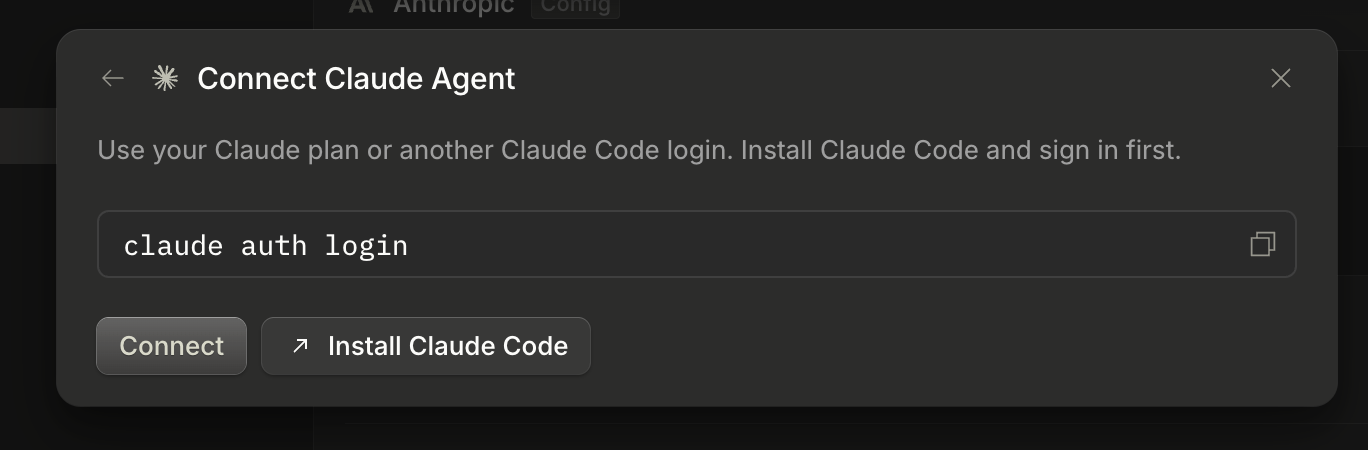
For Claude, choose Claude Agent and follow the Claude Code installation and sign-in steps.
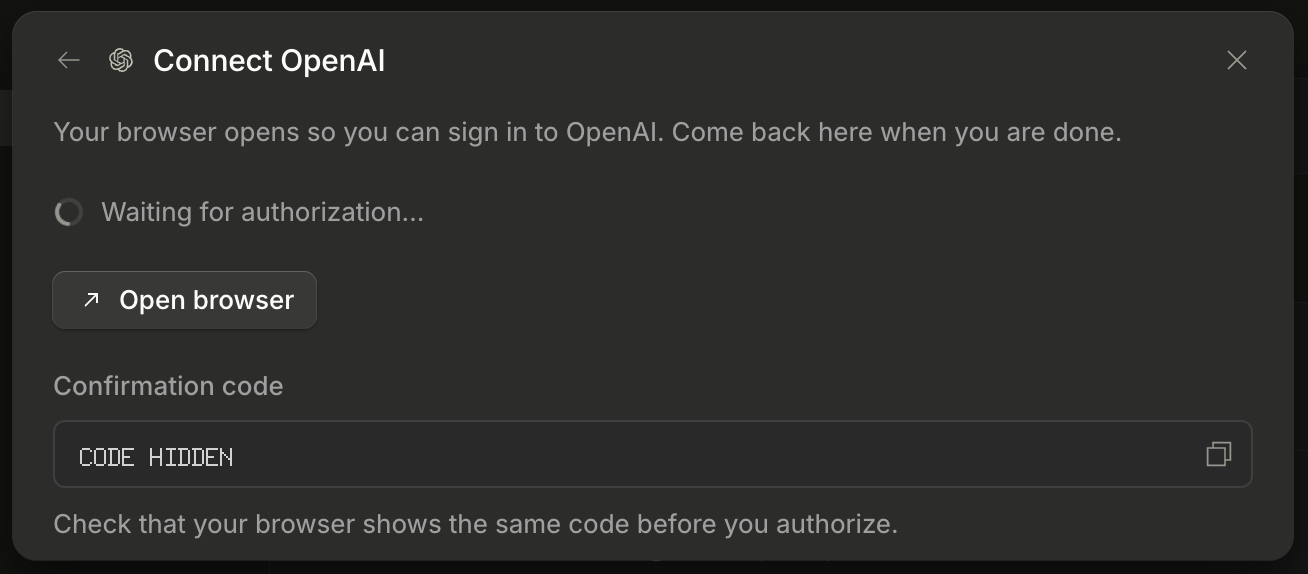
For ChatGPT, choose OpenAI, then Codex device code, and finish signing in through your browser.
Your provider's usual subscription limits still apply.
opencode
v2.2.5
The new layout makes it easier to switch projects and keep conversations in tabs. The model picker lists your favorites and recently used AI models. You can also rewind a conversation or branch off from any message to try a different approach.
Code Mode can make multi-step work faster. The assistant can use its built-in fetch to get information from websites and services, chain tool calls together, and run independent calls at the same time. It can then return just the useful results instead of pages of raw data, so there's less text for the AI to process. That can mean fewer tokens used, too.
With background shell mode, the assistant can start a long build, test run, or download and work on something else while it runs. It's notified when the command finishes and can pick up the result without repeatedly checking on it.
The same goes for subagents, the helper agents that take on smaller tasks. They can now work in the background and report back when they're done, while the main assistant carries on.
For a quick question, try /btw, like /btw what does that error mean?. It uses the conversation so far to answer, without adding the side discussion to your main chat.
For a bigger task, use /goal to tell the assistant what you want to finish. It keeps working and checking its progress toward that goal. You can also ask it to create or edit images if you've connected a provider that supports it.
Free AI models should now be more reliable. We've added backup connections so requests have another route if one becomes unavailable.
Less setup
The assistant now has instructions to install development tools in your saved storage, so they survive restarts. When you ask to preview an app, it knows to share a public link you can open on your own device, rather than one that only works inside the workspace.
Private docs
When you want to keep a report or plan, ask the assistant to publish it as a doc. You no longer need to remember /docs, though the command still works.
New docs are private by default. You must sign in to the account that owns them to read them. When you want to share one, ask the assistant to make it public so anyone with the link can open it.
On your phone
We've made the layout and controls easier to use on small screens, including answering the assistant's questions. You can also add Codeplace to your iPhone or Android home screen and open it like an app.
The dashboard now rechecks your access when you return after fixing a payment. For help or a feature request, open Support in the cloud drawer. You'll find links to Discord and our feedback page there, and on your dashboard.